
Fragmented context
Keep patient informationand practical plans connected.
A healthcare coordination concept for the work between discharge planning and departure. The interface brings pending actions, documents and ownership into a shared workflow.
Who the experience serves, the environment it operates in and the design work included.
Help teams see pending work, clear ownership and the conversations coming next.
Keep patient informationand practical plans connected.
Give each task an owner,a clear status and a due time.
Separate urgent actionsfrom the work that can wait.
Design ObjectiveBring patient context, ownership and scheduling into one coherent coordination experience.
Clearer journeys bring useful information and important actions into focus.
See daily workload and upcoming reviews. Open patient details from the overview.
The daily overview brings workload signals and upcoming reviews together, with patient details one step away.
Connect patient context with task progress. Keep clinical status clearly distinct.
The patient view connects episode context and practical task progress while keeping clinical status distinct.
Show the patient, owner and due date. Keep task progress visible in one place.
Tasks show the patient, owner, due time and status together. Filters help coordinators focus on the relevant work.
Coordinate equipment, travel and follow-ups. Review requests in one shared queue.
A shared request queue organises equipment, pharmacy, transport and follow-up needs. Scheduling carries planned reviews and conversations into the working week.
Bring reviews and discussions together. Plan follow-ups in a shared schedule.
A shared weekly schedule brings discharge reviews, caregiver discussions and planned follow-ups into view.
Manage routing, alerts and workspace details. Keep settings organised and consistent.
Organisation details, routing, notifications and prototype data controls share one structured settings area.
These are design intentions. The benefits below are not presented as measured outcomes.
Prioritise workload signals and scheduled reviews in the overview. See where to begin in the daily workload.
Organise tasks and arrangements around the patient record. Keep patient context connected across the working views.
Display ownership, status and due time together. Make the next action easier to interpret.
Separate clinical clearance from practical arrangements. Keep clinical clearance distinct from practical arrangements.
Shared components, type and interaction patterns keep the product consistent.
Related actions and interface elements follow a familiar structure.
Consistent hierarchy gives dense and quiet screens a shared rhythm.
Clear selections and feedback support predictable next steps.
Explore the design deliverables. Intended benefits are not measured results.
Daily coordination overview.
View screensConnected patient context and practical readiness.
View screensShared tasks and support requests.
View screensScheduling and workspace settings.
View screensThe outcomes shown describe the design delivered. Live operational impact has not yet been measured.
Tell us what your users are struggling with, and we’ll help you explore a practical way forward.
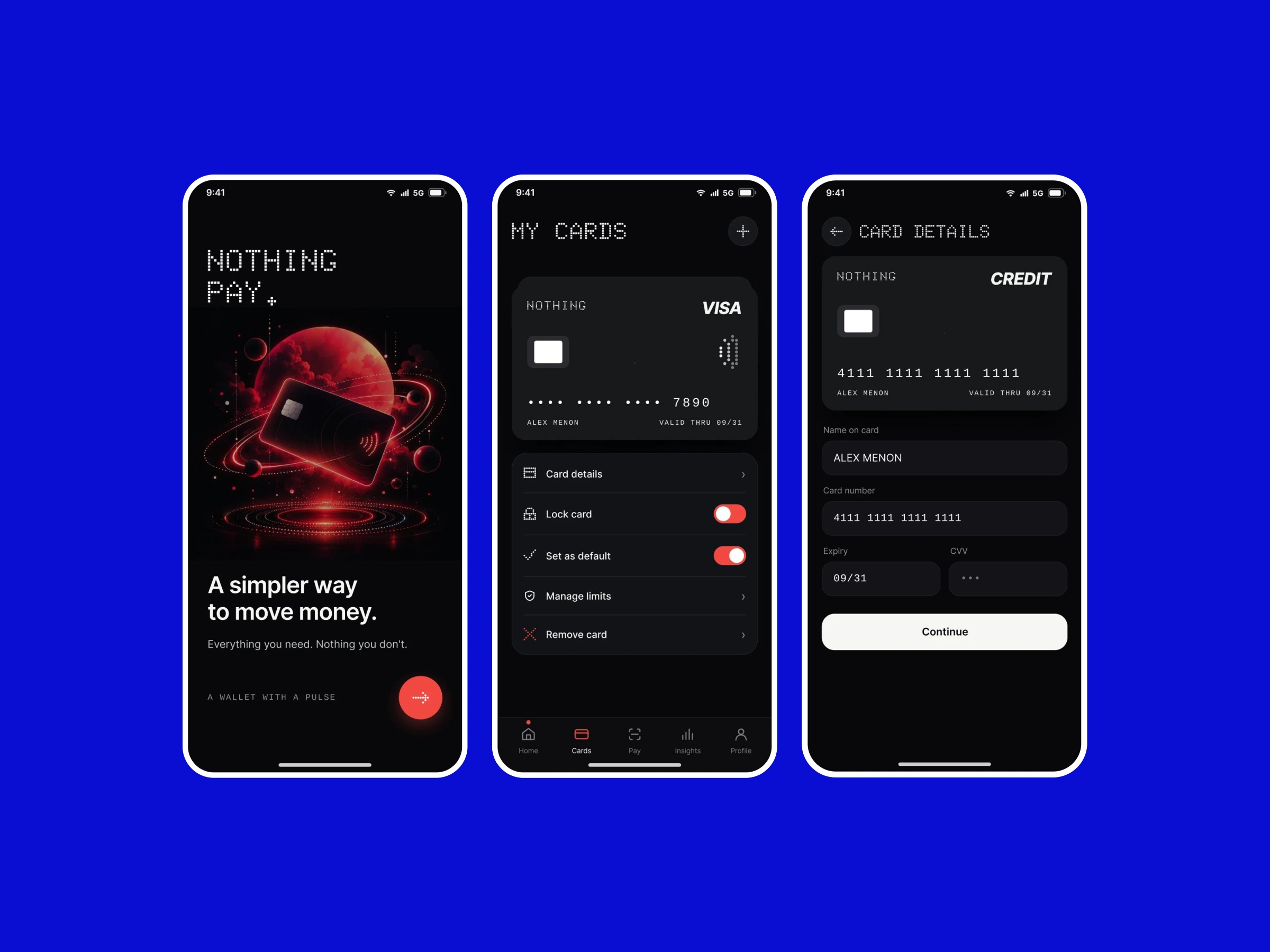
A concept bringing everyday payments, linked accounts and transaction context into a focused mobile experience.
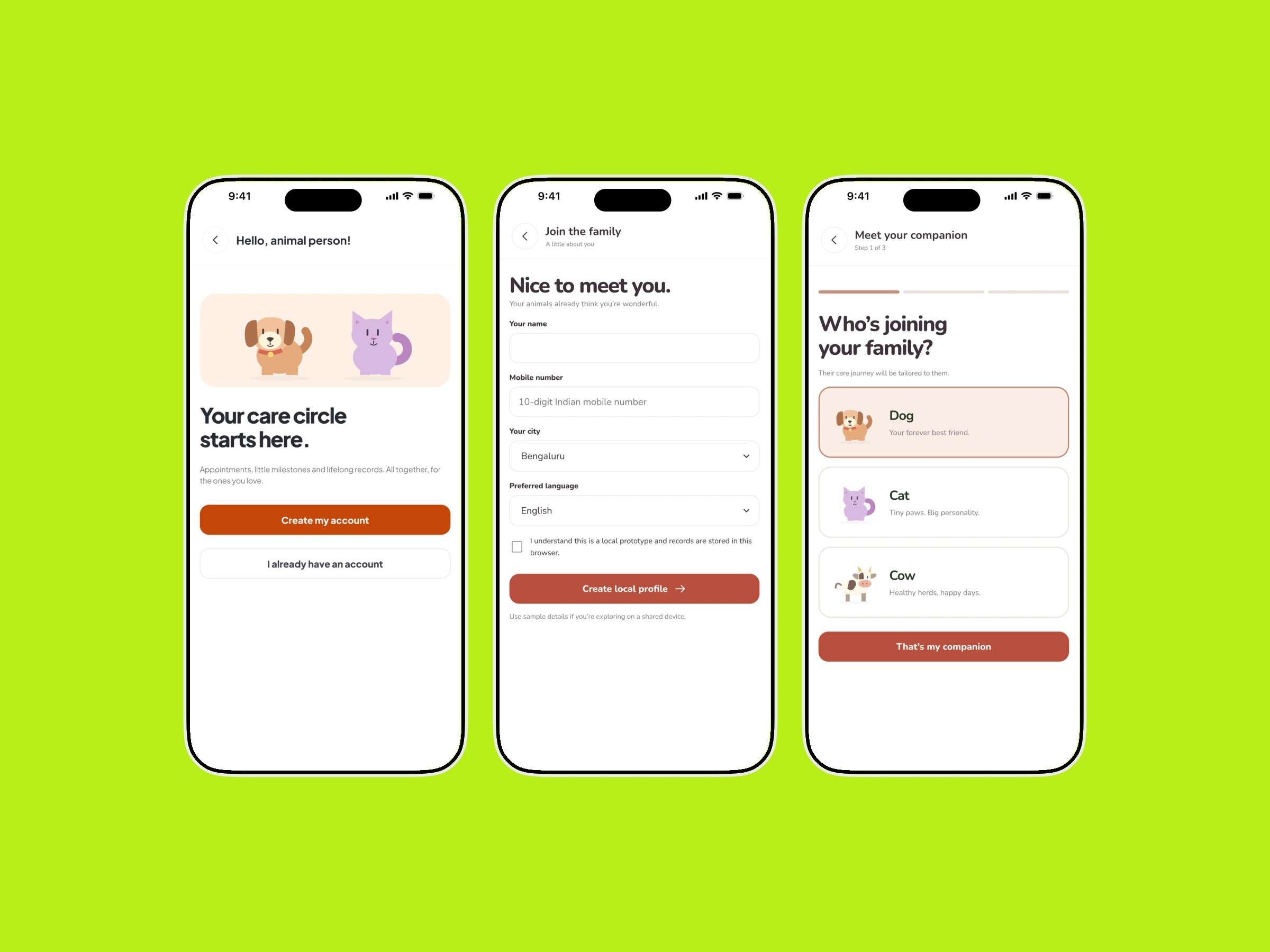
Profiles, health records and care services arranged around the needs of pet parents and cattle caregivers.